top of page

Posts List

There’s nothing quite like go‑live day. Months of planning, testing, reviewing, and revising all come down to one moment, when your system finally meets the real world.​       We’ve seen how even well‑planned launches can stumble, not because teams aren’t capable, but because readiness isn’t clearly defined across people, process, and technology. That’s why we use an eight‑pillar Go‑Live Readiness Checklist to help our team move from “we think we’re ready” to “we know we’re ready.” This isn’t a theoretical framework. It’s the way we de‑risk migrations, platform rollouts, and complex integrations in real projects. 1. Change Control & Scoping: Draw the Line Before You Launch No matter the project, a contact center migration, SaaS rollout, or core system upgrade, clarity comes first. The moment scope drifts, confidence follows.​ Our principle is simple: lock scope, confirm stakeholder sign‑off, and enforce a change freeze before you talk seriously about a go‑live date. Go‑live change control checklist: Final scope, requirements, and success criteria documented and approved All stakeholders (business, IT, ops, vendors) have formally signed off A change freeze is in place between final QA and go‑live Any exceptions to the freeze have a clear, risk‑based approval path A clear scope line protects your team from last‑minute “just one more change” that can destabilize a deployment. 2. Functional Readiness: Test Until It’s Boring Functional readiness is when testing feels almost uneventful, because everything behaves exactly as expected. If your team is still finding surprises during UAT, you’re not ready to launch. Instead of treating QA as a checkbox, treat it like rehearsal for production. Functional readiness checklist: All planned features and changes have passed formal QA Edge cases and non‑happy paths are tested and documented UAT is completed with clear sign‑off from business owners Known issues are documented, prioritized, and accepted for go‑live (or blocked) When QA is solid and UAT is deliberate, go‑live becomes validation of good work, not a live fire drill. 3. Technical Readiness: Lock In the Foundations Infrastructure is the quiet foundation of every successful launch. If environments, capacity, or configurations are off, even perfect application logic can fail. Technical readiness connects your deployment plan to real‑world performance. Technical readiness checklist: Production environment is fully provisioned and stable Capacity, throughput, and performance are tested under realistic load All environment‑specific variables (URLs, secrets, keys, passwords) are set for production Monitoring, logging, and alerting are configured and verified When your technical foundation is strong, you avoid the worst go‑live scenario: everything works in lower environments but fails in production. 4. Data Readiness: The Invisible Risk Data is often the most fragile part of a go‑live. A missed migration step, incorrect mapping, or partial load can quietly break customer experiences and reporting. Teams that treat data as a first‑class workstream, not an afterthought, have smoother launches and fewer post‑go‑live surprises. Data readiness checklist: All data migrations are executed and validated against source systems Data quality checks (counts, spot checks, business‑logic validations) are documented Cutover and backfill plans are defined and understood by all stakeholders A rollback plan exists, with clear triggers and owners If you treat data like a product, not a by‑product, your go‑live is far less likely to be derailed by invisible issues. 5. Security & Compliance: Gatekeepers of Trust A system that “works” but isn’t secure or compliant is not ready to go live. Security and compliance reviews are not optional steps; they’re go‑live gates. This is especially critical in environments handling customer conversations, payment data, or regulated workflows. Security and compliance checklist: Formal review and sign‑off by security and compliance stakeholders Authentication and authorization tested in the production environment Certificates, keys, and other sensitive assets are rotated, secured, and current Logging, auditing, and retention settings meet internal and regulatory expectations Trust is hard to earn and easy to lose. A strong security posture at go‑live protects both your customers and your brand. 6. Deployment Readiness: Rehearsal, Not Roulette A surprising number of teams reach launch week without a fully rehearsed deployment plan. That’s where downtime windows stretch, rollbacks get messy, and everyone feels like they’re improvising. Your deployment should feel like choreography, not roulette. Deployment readiness checklist: Deployment plan is written, shared, and rehearsed end‑to‑end Go‑live date, time, and change window are confirmed with all teams Expected downtime or impact is communicated in advance Rollback plan is documented, tested, and time‑boxed The more your team practices the sequence before launch, the more “boring” and predictable the real thing becomes, and that’s exactly what you want. 7. Communication Readiness: Everyone Aligned, No Surprises Even a flawless technical launch can feel chaotic if communication is poor. Stakeholders don’t know what’s happening, customers are surprised, and leadership is in the dark. Communication readiness aligns expectations and keeps everyone on the same page. Communication readiness checklist: Go‑live communications drafted, approved, and scheduled Internal stakeholders (IT, operations, support, leadership) fully briefed Customer‑facing updates prepared or sent, if needed Success criteria defined, documented, and shared across teams When people know what to expect, and what success looks like, they’re far more likely to support the process instead of questioning it in real time. 8. Post Go‑Live Plan: Stay Ready After You Launch Go‑live is not the finish line. It’s the start of proving your solution in production. The first hours and days after launch are where strong teams stand out. Without a clear post‑go‑live plan, issues take longer to detect, assign, and resolve. Post go‑live checklist: Monitoring period defined (e.g., first 24–72 hours) with clear SLAs Named owners on call for technical, functional, and business issues Post‑go‑live validation checklists ready for key journeys and reports Post‑launch communications prepped for both internal and external audiences A structured post‑go‑live plan turns “we’ll see what happens” into “we’re ready for what happens.”    How Agon Solutions Helps Teams Get Go‑Live Ready       At Agon Solutions, we sit at the intersection of customer experience, technology, and delivery, which means we’ve seen how much a disciplined go‑live readiness process can reduce risk and build confidence. Whether you’re rolling out a new contact center platform, modernizing communications, or deploying a new application stack, this eight‑pillar go‑live readiness checklist gives your team a shared language and structure for launch success. If you’re Looking for a partner you can depend on, our team is ready to help you go‑live with your project! Contact Us

The Ultimate Go‑Live Readiness Guide: 8 Pillars for a Confident Launch

There’s nothing quite like go‑live day. Months of planning, testing, reviewing, and revising all come down to one moment, when your system finally meets the real world.​       We’ve seen how even well‑planned launches can stumble, not because teams aren’t capable, but because readiness isn’t clearly defined across people, process, and technology. That’s why we use an eight‑pillar Go‑Live Readiness Checklist to help our team move from “we think we’re ready” to “we know we’re ready.” This isn’t...

Read More
In nearly every modernization conversation I have with contact center leaders, there's a moment when the real issue becomes clear. It is not that their teams are not capable or that leadership is not committed. It is that the technology itself has shifted from enabler to obstacle.​ The challenge is that this shift happens gradually. Systems that served you well for years do not suddenly stop working, they just stop keeping pace. By the time the pain points are obvious to everyone, you have often spent months or years working around limitations that should not exist in the first place.​ After guiding dozens of organizations through platform transitions, I have noticed these three patterns consistently emerge when it is time to have a serious conversation about modernization:​ Your Infrastructure Cannot Deliver the Experience Customers Actually Expect If your contact center still operates primarily as a call center with some digital channels bolted on, you are managing a fragmented experience whether you realize it or not.​ Today's customers do not think in channels, they think in conversations. They will start on chat, continue via email, and call if needed, and they expect you to have context and consistency at every step.​ Legacy platforms were not architected for this reality. They were built when voice was king and email was the new channel, which leads to agents toggling between systems, customers repeating information, and data that does not flow between touchpoints.​ True omnichannel is not just having multiple channels available, it is having them work as a unified system. When your platform forces customers and agents into rigid, channel-specific workflows, you are delivering an experience that feels broken, because from their perspective, it is.​ Agility Costs Too Much and Takes Too Long Here is a question worth asking: what is the actual lead time to implement a meaningful change in your contact center? Not a small tweak to a call flow, but adding a new digital channel, integrating a new system, scaling capacity for a product launch or seasonal demand, or deploying capabilities your business needs to compete.​ If the answer involves long change windows, custom development, hardware procurement, or significant professional services for what should be straightforward updates, your platform is not supporting your business strategy, it is taxing it.​ The hidden cost is not only in maintenance and workarounds. It is in the initiatives that never launch because they are too difficult or expensive to implement and in the competitive advantages you cannot pursue because your technology cannot evolve at the speed your market demands.​ Modern cloud platforms change this equation. What once required months and custom code often becomes configuration work measured in days or weeks, so when growth and change feel expensive and slow, it is usually a platform problem, not a people problem.​ Your Data and Automation Capabilities Are Not Built for Modern Competition Contact center leaders need fast, informed decisions. Teams need tools that eliminate repetitive work and help them focus on complex customer needs, and the business needs insights that drive strategy, not just report on history.​ Legacy environments make this harder than it should be. Data gets trapped in silos, real-time reporting requires workarounds or manual effort, and advanced analytics and AI are difficult or impossible to implement.​ Meanwhile, competitors are deploying AI that predicts customer needs, automates tier-one interactions, and surfaces insights that inform everything from product development to workforce planning. They are making decisions based on real-time intelligence while you are waiting for end-of-day reports.​ This is not about chasing technology trends. It is about having the foundational capabilities required to compete effectively, because when your platform cannot deliver the data visibility, automation, and intelligence that modern operations require, you are operating with constraints your competition does not have.​ The Path Forward None of this means your current platform was a bad investment. These systems powered successful operations for years, and in many cases, they still function. However, there is a difference between functioning and enabling your strategy.​ The organizations that successfully modernize typically share one thing: they stop asking “Can we make this work?” and start asking “Is this platform enabling or limiting what we need to accomplish?”​ That is when the real conversation can begin. It's not about ripping out everything overnight, but about building a roadmap that aligns your technology infrastructure with where your business actually needs to go.​ This is the work our team focuses on every day: We help companies assess their current platform, define a realistic modernization path, and navigate the transition without disrupting customers or agents.​ What is your experience? Are you seeing these patterns in your environment, or have you found ways to extend the life of legacy systems while still meeting modern demands? If you're ready to make the move, or just get more information on what that might look like, reach out! We'd love to see how we can become your success partner!

3 signs your legacy system is holding you back

In nearly every modernization conversation I have with contact center leaders, there's a moment when the real issue becomes clear. It is not that their teams are not capable or that leadership is not committed. It is that the technology itself has shifted from enabler to obstacle.​ The challenge is that this shift happens gradually. Systems that served you well for years do not suddenly stop working, they just stop keeping pace. By the time the pain points are obvious to everyone, you have...

Read More
In every successful project, there’s a moment where everyone goes from “I think I get it” to “We absolutely know what we’re doing.” That moment is the result of effective discovery. When you skip it or rush it, you pay for it later. What is Discovery, Really? Discovery is the structured phase at the start of an initiative where you work with stakeholders to deeply understand the current state, the real problems, and the desired outcomes, before you commit to solutions. So what does that mean? Understanding users and customers: who they are, how they interact with your processes and systems, and where friction shows up. Understanding the business: goals, constraints, success metrics, and why now is the right time to act. Understanding the technology: what exists today, what’s broken, what’s underused, and what can realistically be extended or replaced. For contact center and CX projects, discovery is where you connect your customer experience vision with operational and technical reality. You’re not just asking, “What features do you want?” you’re asking, “What outcomes matter, and what has to be true for us to get there?” The Dos of Effective Discovery Treat discovery like a critical phase, not an administrative step. Here’s how to do it well. 1. Start with outcomes, not features Before you talk about platforms, routing strategies, or AI, get crystal clear on what success looks like. What business metrics are you trying to move? What experience are you trying to create for customers and agents? What will your leadership point to and say, “This was worth it”? When outcomes are clear, solution decisions become easier and more defensible. 2. Talk to people at every level Slide decks and reports are helpful, but they rarely tell the full story. Talk to executives about strategy and constraints. Talk to managers about processes, bottlenecks, and trade-offs. Talk to agents and frontline users about the reality of their day. Your best insights usually come from the people closest to the work. 3. Map the current state in detail You can’t redesign what you don’t understand. Document how things work today, even if it’s messy. Call flows, routing logic, and channels in use. Hand-offs between teams and systems. Workarounds, shadow processes, and “unofficial” tools people rely on. A clear, honest current-state view is what separates meaningful transformation from cosmetic change. 4. Challenge assumptions (respectfully) Discovery is not about nodding along. It’s about asking the questions nobody else has time to ask. “Why is it done this way?” “What would happen if we stopped doing this?” “Is this requirement a must-have or a habit?” The goal is not to be difficult, it’s to prevent old thinking from being hard-coded into new systems. 5. Prioritize ruthlessly Everything can’t be priority one. Use discovery to separate “must have to succeed” from “nice to have someday.” Align on what needs to be in phase one vs. future phases. Tie every requirement back to a business or customer outcome. Clarity here protects your timeline, your budget, and your sanity. The Don’ts of Discovery Avoid these traps if you want your projects to land cleanly. 1. Don’t treat discovery as a checkbox If discovery is reduced to “a couple of meetings” and a template filled with guesses, you’re not doing discovery, you’re just documenting assumptions in a nicer format. Real discovery takes intention: multiple conversations, follow-up questions, and time to synthesize what you’re hearing. 2. Don’t let only one voice define reality If your discovery only includes one stakeholder group, you will miss critical context. Leadership alone will over-index on strategy and under-index on friction. Operations alone will optimize for today’s processes, not tomorrow’s goals. IT alone will optimize for what’s technically clean, not what’s usable. You need all three perspectives to design something that works in the real world. 3. Don’t jump to solutions too early The fastest way to build the wrong thing is to fall in love with a solution before you fully understand the problem. “We just need a bot.” “We just need a new IVR.” “We just need to re-skill agents.” Technology and tactics come after clarity, not before. 4. Don’t ignore constraints Budget limits, regulatory requirements, union rules, security policies, and existing contracts are not “later problems.” They belong in discovery. When constraints are explicit early, you can design within them instead of discovering them mid-project when change is expensive. 5. Don’t walk away without a clear narrative If your discovery outputs are just documents and diagrams, you’re only halfway there. You also need a story everyone can repeat: Here’s what we learned. Here’s what’s most important. Here’s what we’re going to do first and why. That narrative is what keeps leaders, operations, IT, and partners aligned when the project gets real. What Good Discovery Delivery By the end of a strong discovery, you should have: A shared understanding of the problem space and current state. Clear business and customer outcomes, with success metrics defined. Prioritized requirements and a realistic phase plan. Visibility into constraints, risks, and dependencies. A story that everyone, from the C-suite to the contact center floor, can understand and support. If you’re planning a contact center transformation, AI initiative, or CX modernization effort, and you want to de-risk the journey before you start, a focused discovery might be the most valuable step you can take. 	Want to see what a tailored discovery for your organization could look like? Let’s talk about where you are today, where you’re trying to go, and how we can help you bridge the gap with confidence.

What Is Discovery? The Dos and Don’ts

In every successful project, there’s a moment where everyone goes from “I think I get it” to “We absolutely know what we’re doing.” That moment is the result of effective discovery. When you skip it or rush it, you pay for it later. What is Discovery, Really? Discovery is the structured phase at the start of an initiative where you work with stakeholders to deeply understand the current state, the real problems, and the desired outcomes, before you commit to solutions. So what does that mean?...

Read More
Working with an expert team to implement a new system or feature is great. However, unless you’re also using that team for ongoing maintenance and support, chances are there will be a “hand-off” at the conclusion of the project where you suddenly become responsible. It may feel like you’re coasting now that the project has been implemented and is sailing along smoothly, but getting this part right is critical to long-term success.   Here are some items that should be considered as part of an effective hand-off: Documentation  – Hopefully, you already have good documentation that was created as part of the design process. If not, you’re already in trouble. A final documentation package should be provided that reflects the overall design and what was done to reach the current state. It should be clear, concise, and accurate. It should enable ongoing usage, maintenance, and support. Knowledge Transfer  – This is a practical walkthrough of what has been built, how it works, how to use it, how to troubleshoot and maintain it, and the documentation package. Ideally, the team that will be responsible for ongoing care will have been involved in the process and already be somewhat familiar with what has been built. This is an opportunity to ask questions and ensure a smooth transition. Cleanup – As part of the hand-off, items that were created to support the project may need to be removed. This may include test data and accounts (unrelated to ongoing support), miscellaneous development branches that were not included in the final product, etc.

The Art of the Hand-off

Working with an expert team to implement a new system or feature is great. However, unless you’re also using that team for ongoing maintenance and support, chances are there will be a “hand-off” at the conclusion of the project where you suddenly become responsible. It may feel like you’re coasting now that the project has been implemented and is sailing along smoothly, but getting this part right is critical to long-term success.   Here are some items that should be considered as part of an...

Read More
Virtual agents are quickly becoming the new “front door” of the contact center, reshaping how customers self-serve and how agents work behind the scenes. This article looks at what’s new, what matters most, and how leading platforms are approaching virtual agents in 2025–2026. What Is a Virtual Agent?       Virtual agents are AI-powered bots that handle customer interactions over voice and digital channels, using natural language instead of menus or rigid scripts. Modern platforms combine natural language understanding, generative AI, and real-time data to resolve routine tasks end-to-end or collaborate with human agents when needed. Unlike legacy IVR, today’s virtual agents can manage complex intents, collect context, authenticate users, and either complete the request or hand off to a live agent with full interaction history. They can also be deployed across channels (voice, web, SMS, social, in-app), so customers experience a consistent “digital front-line” regardless of entry point. Key Capabilities That Now Matter       The bar for virtual agents in 2026 is much higher than “press 1 for billing.” Leading platforms are investing in several core  capabilities: Natural language understanding and generative AI for flexible, free-form conversations, summaries, and dynamic. Omnichannel reach, with the same bot logic driving voice, web chat, SMS, and social messaging to avoid fragmented experiences. Easy bot design tools, using visual flow builders, low-code/no-code interfaces, and increasingly, natural language prompts to generate. Deep integration with CRMs and back-end systems so the bot can actually do things: check orders, update accounts, schedule, and trigger workflows. Smart handoff and Agent Assist, where the virtual agent escalates with full context and continues to support the human agent in real time with suggestions and knowledge Intent discovery and analytics, leveraging past conversations to surface what customers really ask and where automation will deliver the most impact. Leading Virtual Agent Platforms       Several major platforms have emerged as leaders for contact center-grade virtual agents, often as part of broader CCaaS or AI suites. Platform Virtual agent focus Notable strengths Genesys Cloud CX Native virtual agents across voice and digital, powered by Dialog Engine Bot Flows and Digital Bot Flows. Tight integration with routing, WEM, and journey data; NLU-based bots; Intent Miner to discover automation opportunities; low-code design and knowledge integration. Google Cloud CCAI Dialogflow-based virtual agents embedded into Contact Center AI Platform across Advanced NLU, generative AI support, visual flow builder, strong Agent Assist, and multi-channel virtual agent deployment with deep Google Cloud ecosystem Zoom Virtual Agent AI-powered digital and voice virtual agent integrated with Zoom Contact Center. Strong fit for organizations already on Zoom; automates routine inquiries with self-service while tying into Zoom meetings, phone, and chat experiences.​ Talkdesk GenAI-powered virtual agents embedded in Talkdesk CX Cloud. No-code workflow tools, AI-powered self-service, and hybrid deployment options that can leverage on-prem telephony for compliance-sensitive environments. Other CCaaS AI suites Platforms like Nextiva and others bundle AI assistants and virtual agents into broader contact center offerings. Unified environments that blend communications, WFM, and AI, often with prebuilt use cases and templates to accelerate time to value. Design Trends: From Flows to Orchestration       Virtual agent design is moving from static scripts to dynamic, data-driven orchestration. Bot builders in platforms like Genesys Cloud and Dialogflow CX now use visual tools plus AI-generated suggestions to create and iterate flows faster. Intent mining and analytics help teams continuously optimize, surfacing new automation candidates from real interactions instead of guesswork. At the same time, multi-agent architectures are emerging, Google, for instance, is enabling agent frameworks that coordinate multiple specialized AI agents behind a single customer-facing experience. What To Look For When Evaluating       When you evaluate virtual agents for your contact center, focus less on “cool demos” and more on how the solution fits into your broader CX stack and operations. Consider: calabrio+1 How well it integrates with your CCaaS, CRM, and data sources today and as your architecture evolves. The quality of tools for non-developers: can CX and operations teams own and iterate the bot, or is everything a dev ticket? Built-in analytics, intent discovery, and testing frameworks to safely expand automation over time. Elasticity across channels, languages, and regions, especially if you support a distributed or global customer base. The vendor’s roadmap around generative and agentic AI, including Agent Assist, summarization, and multi-agent orchestration. For many organizations, the best path is a platform that treats virtual agents not as a bolt-on, but as a native part of routing, workforce, and analytics, so automation and human support work as one unified system.

Virtual Agents Today

Virtual agents are quickly becoming the new “front door” of the contact center, reshaping how customers self-serve and how agents work behind the scenes. This article looks at what’s new, what matters most, and how leading platforms are approaching virtual agents in 2025–2026. What Is a Virtual Agent? Virtual agents are AI-powered bots that handle customer interactions over voice and digital channels, using natural language instead of menus or rigid scripts. Modern platforms combine...

Read More
When you roll out a new contact center platform, it’s easy to focus on the usual success metrics; handle time, SLAs, and efficiency numbers. However, in year one, those don’t always tell the full story. What we've noticed:   The first year is really about stability and adoption. It’s the time to see how the system performs in the wild, how agents adapt, and what both employees and customers are saying about the experience. Early on:   The focus is whether things are working as expected. Are tickets decreasing, are issues getting resolved faster, and is everyone starting to trust the platform? As the months go on:   The focus shifts to the people using it. Are agents confident? Are they finding it easier to do their jobs? What patterns show up in quality monitoring or feedback surveys? By year end: Success often looks like agility. How much less time is IT spending on fixes and workarounds? How easily can you roll out new features or AI tools without disrupting operations? One more thing to keep in mind: As AI handles simpler customer needs, agents are taking on more complex, emotionally charged conversations. That means average handle time isn’t always a sign of inefficiency anymore, sometimes it’s a sign of meaningful engagement. In year one, success isn’t necessarily just about faster metrics, it’s about laying a stronger, smarter foundation for the years ahead. 
 Leave us a comment, and share your thoughts!

How to Think About “Year One Success”

When you roll out a new contact center platform, it’s easy to focus on the usual success metrics; handle time, SLAs, and efficiency numbers. However, in year one, those don’t always tell the full story. What we've noticed:   The first year is really about stability and adoption. It’s the time to see how the system performs in the wild, how agents adapt, and what both employees and customers are saying about the experience. Early on:   The focus is whether things are working as expected. Are...

Read More
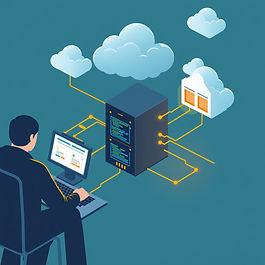
The Challenge: Bridging Genesys Cloud Voicemails to External Systems Genesys Cloud is a powerful platform for managing customer interactions, including voice calls, voicemails, and analytics. However, our customer faced a common pain point in enterprise environments: the need to export voicemails programmatically into a third-party system for archiving, compliance, or further analysis. Specifically, they wanted the exported files to include participant data—such as caller ID, agent details, or interaction timestamps—embedded in the filename. This would eliminate manual renaming and reduce errors in downstream workflows. Project Requirements: Automate voicemail extraction without disrupting the user's workflow. Ensure secure, user-impersonated access to Genesys Cloud. Incorporate participant metadata (e.g., caller name, date, time) into the output filenames. Output files to a shared directory for easy ingestion by the target solution. Our Approach: A Lightweight .NET Service To address this, we designed a simple, efficient .NET service that leverages a combination of screen scraping for authentication and Genesys Cloud's APIs for data retrieval. This hybrid approach allowed us to handle the login process securely while tapping into the platform's robust API endpoints for the heavy lifting. 	1.    Authentication via Screen Scraping Genesys Cloud uses OAuth for API access, but generating tokens programmatically while maintaining user context can be complex. To simulate a real user login without storing passwords, we employed screen scraping technology. The service automates a browser session to log in "as the user," respecting role-based access controls, and captures the authentication tokens for subsequent API calls. 	2.   Fetching Voicemails and Participant Data With tokens in hand, the service queries the Genesys Cloud Conversation API to retrieve voicemail recordings and pull associated participant data, including: Participant IDs and names Timestamps Custom attributes 	3.   Filename Generation and File Export We construct filenames dynamically based on the participant data. For example: JohnDoe_20260108_0900_Voicemail.mp3 The audio files are then downloaded and saved to a configurable directory. The solution is built as a Windows service, featuring robust logging and error handling. Benefits and Outcomes This project delivered immediate value to the organization: Efficiency: Eliminated manual downloads, saving significant time. Accuracy: Participant-embedded filenames reduced misfiling errors completely. Compliance: Improved compliance with traceable metadata. Value: A cost-effective solution built with standard .NET tools. The customer is thrilled and is already planning to expand this solution to cover other interaction types.

Extracting Voicemails from Genesys Cloud: A Custom .NET Solution for Seamless Integration

The Challenge: Bridging Genesys Cloud Voicemails to External Systems Genesys Cloud is a powerful platform for managing customer interactions, including voice calls, voicemails, and analytics. However, our customer faced a common pain point in enterprise environments: the need to export voicemails programmatically into a third-party system for archiving, compliance, or further analysis. Specifically, they wanted the exported files to include participant data—such as caller ID, agent details,...
Read More
Transitioning to a new communication platform is rarely simple or easy. Whether you're planning a migration to Genesys Cloud from PureConnect or a different platform entirely, you're not just switching technologies, you're embarking on a transformation that will touch every corner of your customer experience operation. There is no magic button to press. Our recommendation is to treat it just like implementing any new platform. 1.) Start with a Fresh Perspective       First, resist the urge to simply replicate what you have today. This is your opportunity to step back and ask fundamental questions: does it make sense? Does it meet the needs of your customers and employees? Are there better ways to do things? Is there new technology or processes that you can take advantage of? Might it be time for a call flow refresh? The best migrations we've seen started with this discovery phase. Take the time to examine your operation with fresh eyes before you start rebuilding. 2.) Embrace the Learning Curve       Here's an uncomfortable truth: Genesys Cloud will work differently than your current platform. And that's actually a good thing. Don't try to force Cloud to behave exactly like PureConnect or whatever system you're leaving behind. It can't, and it shouldn't. The platform has different strengths, different paradigms, But it is also important to accept that there will be cases where you just don’t like the way Genesys Cloud does something… or can’t do something you do today in exactly the same way. Your team will need time to adjust their mental models and workflows. The sooner you accept this reality, the faster you'll move through the frustration phase and into the productivity phase. 3.) This Isn't Just an IT Project       This is really an example of the previous point. One of the biggest mistakes we see is treating this as a technical migration when it's fundamentally a business transformation. Yes, your IT team needs to handle the technical architecture. But your business units need to drive the requirements. Your trainers need to prepare your agents. Your quality team needs to understand new monitoring capabilities. Your workforce management team needs to learn new forecasting tools. This is an all-hands effort, and the earlier you bring everyone to the table, the smoother your transition will be. 4.) Documentation Is Your Best Friend (and Worst Enemy)       One of the most challenging aspects of migrating from one platform to another is understanding what is being done today. The individuals that created call flows, integrations, etc. may no longer be with the organization and may not have left good documentation for what was built, why, and how it works. Before you migrate, document everything. I mean everything. Call flows, integrations, custom configurations, API connections, reporting requirements, all of it. The more detailed your documentation, the fewer surprises you'll encounter mid-migration and the easier it will be to troubleshoot when issues arise late down the road. Then, as you build in Genesys Cloud, document it again. Your future self will thank you. 5.) Own Your Organization's Unique Complexity       Become your own best friend by investing the time to learn Genesys Cloud inside and out. The more familiar you are with how to configure and maintain your organization, the more you will be able to accomplish on your own and the more help you will be in troubleshooting when a problem arises. The smoother your current operation runs, the more likely you've built invisible complexity. The more custom your configuration, the more work you'll have ahead. Be honest about where you are, and invest the time to truly understand your current state before you try to replicate or improve it in Cloud. When problems arise during testing or after go-live, the team that knows their organization inside and out will troubleshoot exponentially faster than one that's still learning. 6.) Test Everything. Then Test It Again       Your pre-go-live testing phase will make or break your migration. Test from the customer perspective: Can they reach you? Is the experience smooth? Test from the agent perspective: Can they handle interactions efficiently? Are the tools intuitive? Test your edge cases: What happens when things go wrong? Test your integrations: Does data flow correctly between systems? Test your reporting: Can you actually measure what matters? Go through your business units one by one. Have representatives from each team put the system through its paces using real-world scenarios. Gather feedback, iterate, and test again. The hour you spend testing will save you days of crisis management later. 7.) Set Realistic Expectations       Finally, let's talk about timelines and expectations. This will take longer than you think. It will be more complex than you anticipated. There will be unexpected challenges. And that's okay, that's normal. I've never seen a migration where everything went exactly according to plan. Build buffer into your timeline. Communicate realistic expectations to your stakeholders. Celebrate small wins along the way. And remember: the goal isn't perfection on day one. The goal is a stable foundation that you can continuously improve upon. The Bottom Line:       Migrating to Genesys Cloud is a significant undertaking, but it's also an incredible opportunity to modernize your customer experience operation, eliminate technical debt, and position your organization for future growth. Approach it with realistic expectations, invest in proper planning and documentation, engage your entire organization, and commit to thorough testing. The organizations that do this well don't just survive the migration. They emerge stronger, more efficient, and better equipped to serve their customers.

What to Expect When Migrating to Genesys Cloud

Transitioning to a new communication platform is rarely simple or easy. Whether you're planning a migration to Genesys Cloud from PureConnect or a different platform entirely, you're not just switching technologies, you're embarking on a transformation that will touch every corner of your customer experience operation. There is no magic button to press. Our recommendation is to treat it just like implementing any new platform. 1.) Start with a Fresh Perspective       First, resist the urge to...

Read More
bottom of page